The Disney Store has just made it much easier to hand over your paycheck to Disney anytime, anywhere. The new Disney Store app for smart phones and the iPad was made available for download today. It’s a Free pick up at the app store, so I grabbed it and took it for a test run.
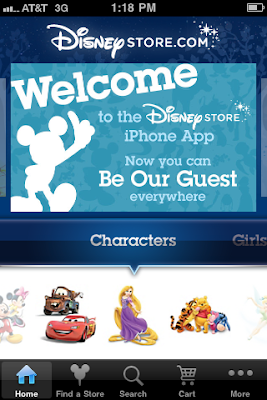
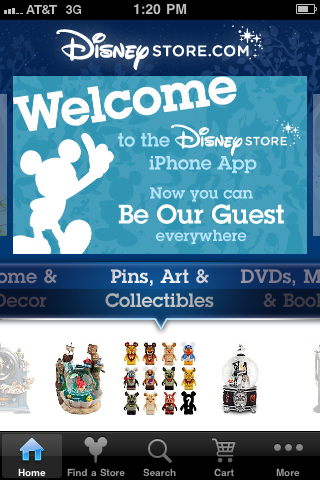
To find the app, just search “Disney Store” in the app store or go to m.disneystore.com on your mobile device. The download and install is very quick. Once downloaded, the Home page is very straight forward with three “slider” sections with a menu bar located at the bottom.
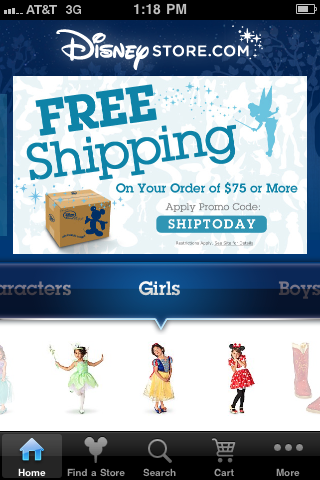
The top slider is reserved for a welcome screen, ads with the latest deals (such as the free shipping code) and featured merchandise. The middle slider shows the categories guests are used to from the website including Characters, Girls, Boys, Baby, Adult, Toys & Games, Pins, Art & Collectibles, Theme Park, Home & Decor, DVDs, Music & Books, Sale Items and more. No Vinylmation-by-itself category yet, but they are located under the Collectibles slider. It’s a great interface that is very intuitive for any smart phone user.
While scrolling through the categories, the pictures under it change and give different specific items to choose from.
That area slides too, so you can browse thumbnails of featured items in that category. Just click on the category to get more sortable options and/or a list of items.
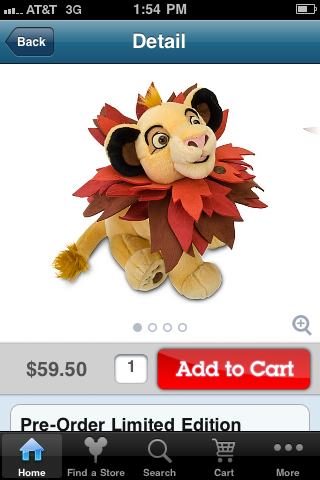
The list shows a thumbnail photo and the price of the item. You can also, from the home page or the list view, click on and individual item for more details and/or to purchase the item.
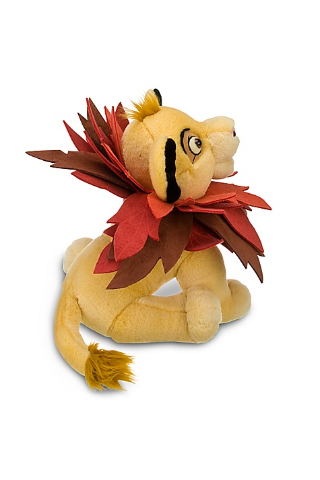
The individual item page is very well done. Scrolling down gives you a look at reviews and product details. The item page has a large picture at the top, and many items have multiple pictures by sliding the image. There is also an enlarging feature that gives you a full screen look at the product.
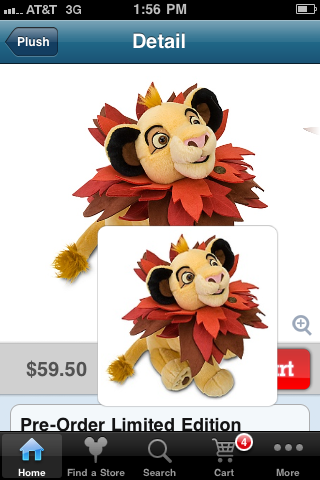
Clicking “Add to Cart” initiates a cool animation where the item’s picture pops out, the device vibrates and the picture shrinks and slides down into the cart icon at the bottom. I added a ton of stuff to my cart just to watch that a few times.
The cart icon shows the number of items in your cart. Click on the cart icon and it takes you to the checkout page. Your items are listed down the page with the discounts and totals at the bottom. It’s all easily viewed in this clean interface making it very clear what you are purchasing and how much you are spending.
The Checkout button is located in the top right corner of the screen. Clicking that button allows you to login to your account (or checkout as a Guest) then proceed to imputing your credit card info and so forth. (sorry, no screen shots of my numbers).
The menu bar at the bottom of the app has all the navigation you need. Home, Find a Store, Search, Cart and More. Find a Store uses GPS to map your location and find the stores closest to you. You can view this as either a Map or List. You can also search by city or zip. Clicking on a store gives you a snapshot of the store, the phone number, address, store hours and In Store Events (if applicable).
The more tab gives you easy access to Recently Viewed Items, allows you to login to your account, lets you view your account info and of course links you to Guest Services. Guest Services is full of all the help you may need including shipping info, exchange policies and a contact form.
This is really a beautiful app. The full Disney Store Online is at your fingertips in an extremely easy to use, clean format. Any smart phone user will find the entire app fully intuitive. Items are easy to find and the checkout process seems extremely quick. (note: I did not fully check out from the app as of the posting of this article) This is what an app should be… an easy to use interface on a small screen fully loaded with all the features your website offers that visitors need. For free, go grab it today… it will come in handy next release day while your waiting outside the store as other items go up online.